Select Layout
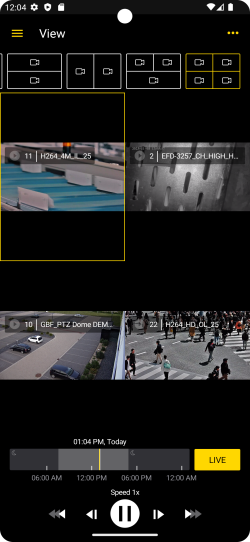
To view multiple viewers at once, you can select a layout matrix in the top bar and select the camera for each viewer.
-
Select a layout matrix in the top bar.
-
Tap a viewer to select it. The buttons and the timeline of the selected viewer are displayed in the bottom bar.
-
To select or change the camera for a viewer, tap and hold the respective viewer until the All Cameras list appears.
-
Select the required camera.
-
Your selection for the respective layout remains. When you open the layout again, the last selected camera is displayed in the respective viewers.